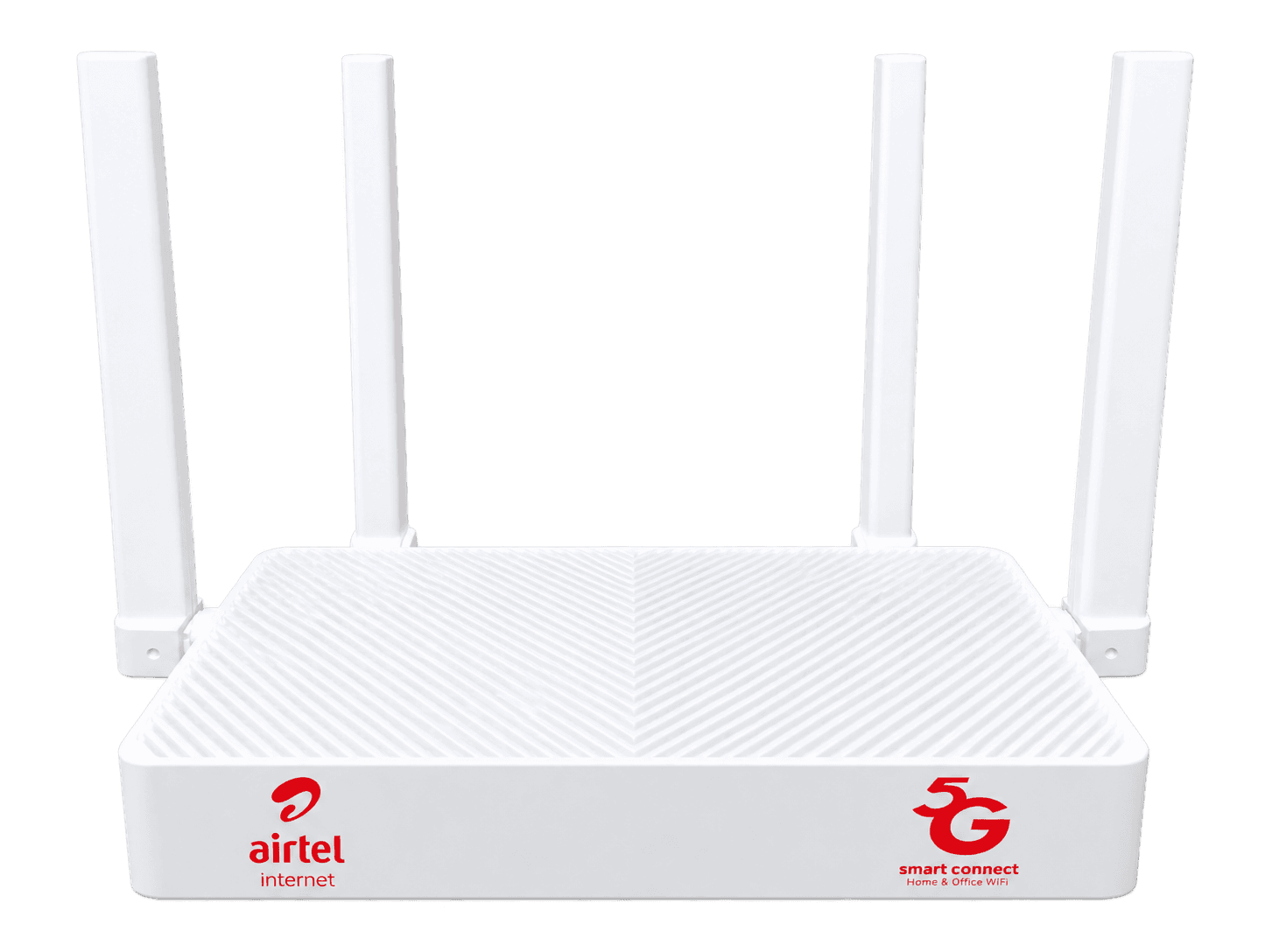
01 / The indoor router
Your home’sWiFi hub.
The indoor router connects your devices through WiFi or Ethernet.
YOUR HOME. CONNECTED.
Choose your package and request installation in a few simple steps.
01 / The indoor router
The indoor router connects your devices through WiFi or Ethernet.

02 / The outdoor unit
The outdoor unit receives the network signal.

03 / The power bank
A free power bank comes with your package.

04 / The accessories
Cables and accessories for your setup.
01 / 04
02 / GETTING STARTED
Choose your package, share your installation details, and we’ll guide you through the next steps.
Pick the option that suits your home.
Share your location and preferred installation details.
We assign an agent near you as soon as you submit your request. Expect a call within 24 hours to confirm your details and discuss the next steps.
Assigned
immediately
Call
within 24 hours
03 / YOUR QUESTIONS
Find answers before you get connected.
Choose between two packages, each valid for 30 days:
| Package | Monthly package price | Initial total |
|---|---|---|
| 15 Mbps | KSh 1,999 | KSh 2,999 |
| 30 Mbps | KSh 2,999 | KSh 3,999 |
The initial total includes your first 30-day package and the one-time KSh 1,000 installation fee.
The equipment and a free 37 Wh power bank are included.
When you renew, you pay the package price. The installation fee is not charged again.
Your connection comes with:
We currently accept installation requests in these locations:
Select your location during signup and provide your installation address. Coverage at your specific address still needs to be confirmed.
Tap Sign up to open the installation request form.
Your preferred date helps us arrange the visit. Your assigned agent will contact you to agree on the installation appointment.
Sign upWe immediately assign your request to a nearby agent.
Expect a call within 24 hours to discuss your request and arrange installation. Keep the contact number you provided reachable.
You pay directly to Airtel when your assigned installer or agent arrives. They will guide you through the payment process.
No payment is needed to submit an installation request on this website.
Yes. You can select a preferred visit date and time when submitting your request.
Your assigned agent will contact you to agree on the appointment. Your preference becomes a confirmed booking once the appointment has been agreed.
Yes, subject to a fair-use policy.
Both the 15 Mbps and 30 Mbps packages include 1,000 GB at your selected package speed during each 30-day period.
After you use the 1,000 GB allowance, you can continue browsing at 2 Mbps until your package expires.
If you want to restore your selected package speed before then, you can buy a 300 GB booster for KSh 1,000.
The booster expires with your main package; it does not start a new 30-day period.
Open the My Airtel app, go to SmartConnect, choose Buy bundles and select your package.
You can also dial *400# from an Airtel line and select the relevant 5G unlimited package.
The 30-day package prices are:
The installation fee is paid once and is not charged on renewal.
Yes. You can choose another available package when purchasing your next package.
The new package starts when your current package expires.
Yes. You can purchase your next package before the current one expires.
The new package starts after your current package expires.
If you have already used your full-speed allowance and want to restore your selected package speed immediately, use the 300 GB booster for KSh 1,000 instead. The booster expires with your current package.
Airtel sends an SMS to your registered alternative contact number when your package expires.
Keep that number available so you can receive the notification.
Yes. Connect your phone to the indoor router’s Wi-Fi, just as you would connect a laptop, tablet or smart TV.
The package belongs to your SmartConnect connection. It is not a mobile data bundle for use directly on your phone’s SIM.
The included Huawei AX3S router supports up to 128 Wi-Fi devices, including phones, laptops, smart TVs and tablets.
Your 15 Mbps or 30 Mbps internet connection is shared between devices. How many can stream, download or make video calls comfortably depends on what they are doing at the same time.
Yes. SmartConnect can use Airtel’s 4G network where 5G is unavailable, provided there is adequate signal at your address.
Actual speeds depend on signal strength and network conditions.
Yes. The included 37 Wh power bank powers both the indoor router and outdoor unit and switches to battery automatically when electricity goes off, provided it is connected and charged.
Yes. You can take the equipment with you and set it up at your new home without needing approval from Airtel or an installer.
The connection still depends on Airtel coverage and signal strength at the new address.
For Airtel Home Broadband support:
You can also visit an Airtel shop for assistance.
Our troubleshooting guide provides help with connection problems.
Still have a question? Talk to us